 Notes
Notes 
Show off SilentSuite
SilentSuite is listed on PrivacyTools.io. Add a badge to your website, and a live GitHub stats card to your README, to show it and send visitors here to rate SilentSuite. Pick a style, then copy the code. Both refresh once a day.

Best for a website or blog. It keeps the size you pick, opens the tool page in a new tab and loads lazily. GitHub accepts it too, but drops the new tab.
Shortest code, for a GitHub README or docs. It always shows the badge at its natural size, because Markdown cannot set one. The Auto theme still works, it follows the reader's device theme.
The badge links back to the tool's page on PrivacyTools.io, where visitors can rate it. Stars show once a tool reaches the rating threshold, until then the badge invites the first rating.
GitHub README stats card
Stars, releases, issues, commits and languages in one card, refreshed daily. It links to the tool page here. Tool: SilentSuite
This tool has no tracked GitHub repo, so it has no stats card. Pick an open-source tool with a GitHub repo.
Auto shows the light card or the dark card, whichever matches each reader's GitHub theme. Best for most READMEs.
Fills the README column. The card is drawn at 840px, so on a wide screen it scales up a little.
Following the GitHub theme, the width and centering work only in the HTML code. The Markdown code ignores them.
PreviewShown inside a GitHub README column, scaled to fit this page.
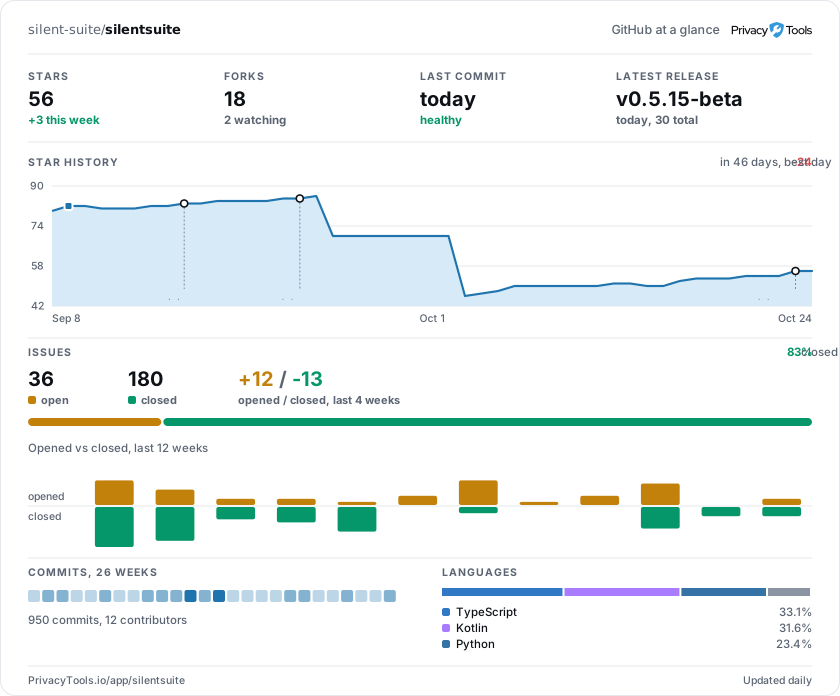
Best for a GitHub README. It follows each reader's GitHub theme, keeps the width you pick and can center the card. Some Markdown renderers outside GitHub remove HTML: use the Markdown code there.
Works in every Markdown renderer: GitHub, GitLab, Codeberg and most docs sites. It cannot set a width or center the card, so the card sits left at up to 840px. With Auto it follows the reader's device theme, not their GitHub theme.